Plotters for GIS maps, aerial imagery and survey plans.
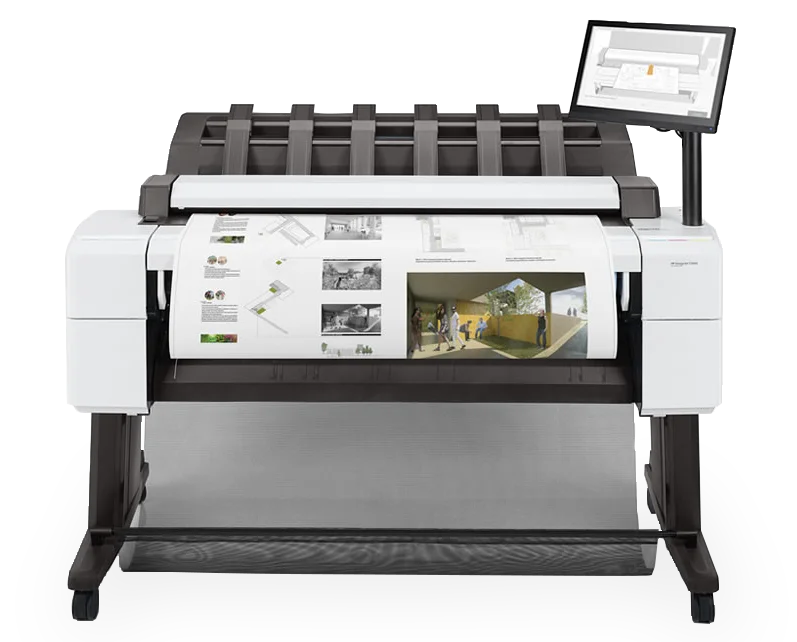
Maps with aerial imagery are far heavier to print than line drawings, and that decides which plotter you need. We will match it to the maps you actually print.
Plotters, GIS and why it matters.
What is GIS?
GIS (geographic information system) software, such as ArcGIS Pro or QGIS, layers location data into maps: boundaries, utilities, flood zones, survey results and aerial photography.
Why a plotter, not an office printer?
Office printers stop at A3. Maps are read at A1 and A0, printed from rolls up to 36 inches wide, with lines accurate to ±0.1% so measurements on paper stay true.
Does GIS change what you need?
Yes. CAD drawings are mostly lines. GIS maps add aerial imagery and elevation data, which makes files far bigger and harder to print. Quoted plotter speeds are for line drawings; colour maps take longer.
What are you printing?
Plans, linework and the occasional colour map
On these plotters your PC prepares each print, which is fine for lines and light colour. Best fit: HP DesignJet Studio, T500 or T630. Four inks. An A1 line drawing in 25 to 35 seconds. 24-inch (up to A1) or 36-inch (up to A0).
Aerial imagery, solid fills and large PDFs
Big raster maps sent from ArcGIS Pro through a printer driver can print slowly or drop layers. A plotter that prints the PDF itself, with memory to spare, takes that load off the PC. Best fit: HP DesignJet T1600 PostScript. Six inks, adding grey and photo black. Adobe PDF Print Engine and 128 GB for file processing. An A1 line drawing in 19.3 seconds.
Paper map archives to digitise
Scan old paper maps and plans on the same machine you print on. Best fit: HP DesignJet T2600 or XL 3600 MFP. The six inks, memory and speed of the T1600. Built-in colour scanner. 500 GB encrypted disk for sensitive data.
Maps for site visits and outdoor use
The colour inks in these plotters are dye-based and not water resistant, so field maps go on water-resistant polypropylene media or get laminated. Best fit: Any of these plotters, with the right media. Polypropylene media for tear and water resistance. Or laminate after printing.
The plotters.
- HP DesignJet Studio 36-in Printer
- HP DesignJet T630 24-in Printer
- HP DesignJet T630 36-in Printer
- HP DesignJet T2600dr 36-in PostScript Multifunction Printer Plus Edition
- HP DesignJet T1600 PostScript Printer Plus Edition
- HP DesignJet T1700 44-in Printer
- HP DesignJet T1700 44-in PostScript Printer
- HP DesignJet T1700dr 44-in Printer
- HP DesignJet T1700dr 44-in PostScript Printer
- HP DesignJet XL 3600 36-in Multifunction Printer
- HP DesignJet XL 3600dr 36-in Multifunction Printer
- HP DesignJet T1600 36-in Printer Plus Edition
- HP DesignJet T1600dr 36-in Printer Plus Edition
- HP DesignJet T1600dr 36-in PostScript Printer Plus Edition
- HP DesignJet Studio 24-in Printer
- HP DesignJet Studio Steel 24-in Printer
- Contex IQ Quattro X 4450 44-in Scanner
- Contex SD One X 36-in Scanner
- See the full plotter range →
Mapping teams printing with us.
Questions About GIS Plotters.
Which plotter suits GIS maps?
For linework, plans and simple colour maps, a four-ink HP DesignJet Studio, T500 or T630 does the job. For aerial imagery, solid colour fills and large PDFs, look at the six-ink T1600, T2600 and XL 3600, which add grey and photo black and have 128 GB for file processing.
Why do big aerial maps print slowly or with missing layers?
Printing straight from ArcGIS Pro sends the map to the printer driver to convert, and with large imagery that conversion can fail or drop items. Esri's workarounds are to print as an image or export the layout to PDF at the right size. A PostScript plotter such as the T1600 PS prints that PDF itself.
Do we need a PostScript model?
If your team sends large PDFs to print, a PostScript model of the T1600, T2600 or XL 3600 prints Adobe PDF and PostScript directly. The Studio, T500 and T630 rely on the driver on your PC, which suits linework.
Will printed maps survive outdoors or in the rain?
Not on plain paper. The colour inks in these plotters are dye-based and not water resistant, so field maps go on water-resistant polypropylene media or get laminated.
Is it secure enough for council and utility data?
The T2600 and XL 3600 store jobs on a 500 GB self-encrypting disk, and the T1600 and T2600 include HP Wolf Pro Security with user sign-in.
Can we scan paper maps too?
Yes, on the multifunction models. The HP DesignJet T2600 and XL 3600 MFP have a built-in colour scanner, so paper maps and plans can be scanned, copied and printed on one machine.
Can you replace our old plotter?
Yes. If a Windows update has left your old plotter unsupported, or it's simply worn out, we'll recommend a current model, install it and support it.
Tell us what your maps look like.
Tell us the sheet size and what's on your maps. We'll recommend the plotter that handles them — call 01483 596 200.