Get the same colour every time, on every substrate.
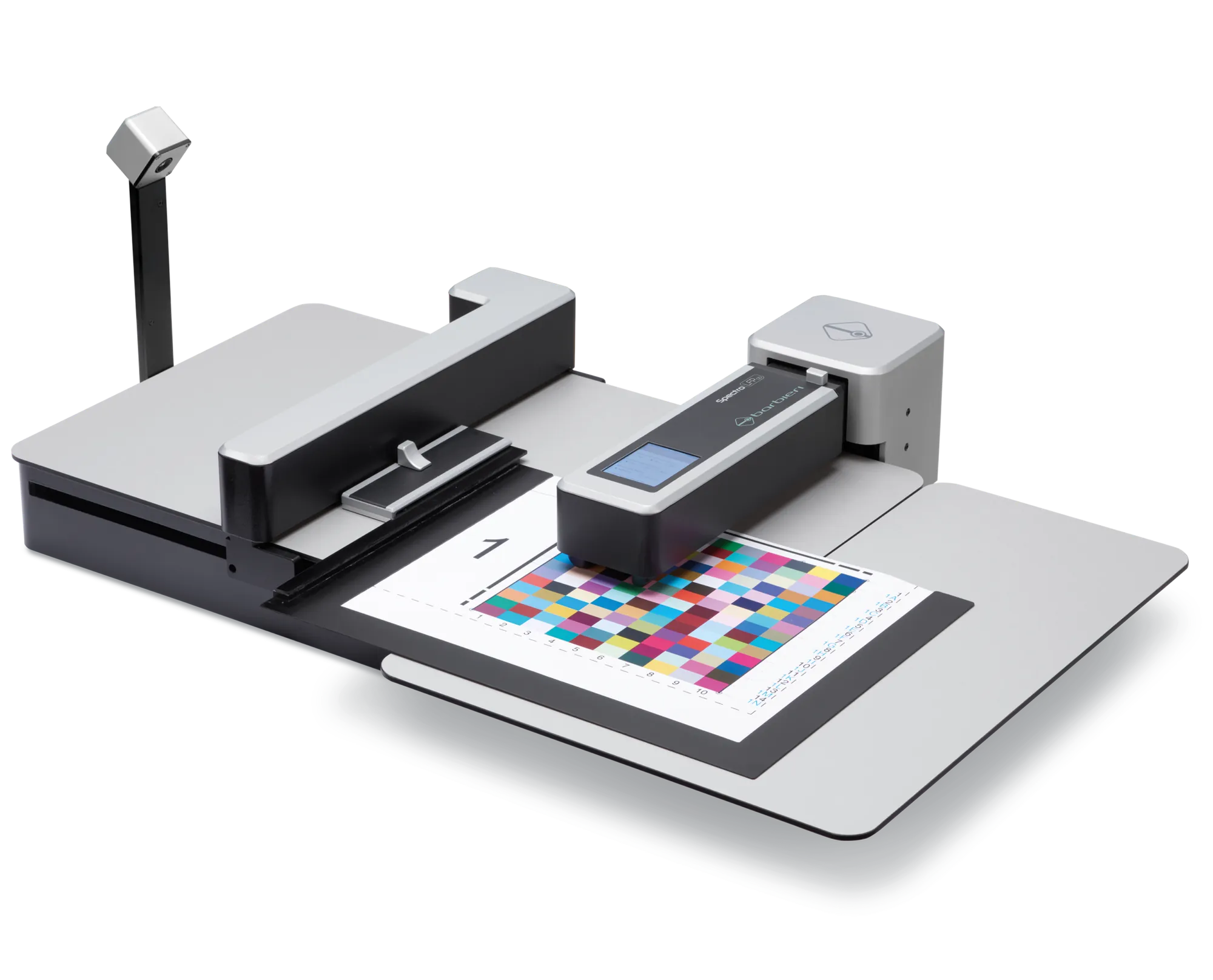
Some HP Latex printers calibrate colour automatically. Others need a Barbieri device alongside them. We'll tell you which applies before you buy — then set it up either way.
What actually decides your colour.
A print only matches the last one — or the client's brand colours, or a proof on someone else's machine — if something is checking it. That's what colour management does: it measures the actual output against a known reference (an ICC profile) and corrects the drift before it becomes a reprint.
The question that decides what you need isn't "do I want colour management" — it's whether your printer checks itself automatically, or whether that job needs separate hardware. That split is the whole of this page.
Which one applies depends on the printer, not preference.
Built into the printer
These machines ship with an HP Embedded Spectrophotometer — colour calibration runs as part of the printer, with no separate device to buy, set up or find a home for. If you're running one machine on a stable set of substrates, this is usually all you need.
Standalone measurement
For every other machine — no embedded spectrophotometer, older hardware, or a fleet you need to check consistently across — a Barbieri device does the same job independently of the printer. Covers profiling across multiple machines and substrates, and signed-off colour reports for clients.
Three devices, three ways of working.
Automatic spectrophotometer for large-format and flatbed printers — reads a full colour chart in one pass.
Automatic spectrophotometer for sheet-fed and digital press output, feeding charts straight through.
Handheld spectrophotometer for spot checks and smaller charts, on or off the machine.
The V&A trusted us with theirs.
The Victoria and Albert Museum came to us for a standalone Barbieri Spectro LFP qb — measurement accurate enough for archival and exhibition reproduction, not just production print.
Our engineering team are all ONYX Certified Operators — this achievement demonstrates our commitment to delivering exceptional service and support to our valued customers.
Questions About Colour Management.
Do I need colour management if my printer already has a spectrophotometer built in?
If you're only running one machine, the built-in spectrophotometer on the HP Latex 730/730W and 830/830W covers most day-to-day calibration on its own. A standalone Barbieri device earns its place once you're checking output across more than one printer, more than one substrate, or need to hand a client a signed-off colour report.
What's the difference between the Barbieri devices?
Spectro LFP qb and Spectro Swing qb are both automatic — feed a chart through and they read it in one pass, built for large-format and digital press workflows respectively. Spectropad is handheld, for spot checks and smaller charts, on the machine or off it.
Can you set this up on a machine you didn't sell us?
In most cases, yes — subject to an initial inspection. Call us to discuss your machine.
Can I see it running before I buy?
Talk to the team about what you need to profile — if it's a good fit, we'll arrange a live run at the Demonstration Centre, on your substrates.
What is colour management, in plain terms?
It's the process that makes sure the colour you see on screen is the colour that comes out of the printer -- ICC profiles, monitor calibration and RGB-to-CMYK conversion all play a part.
Not sure which route applies?
Tell us the printer and the substrates. We'll tell you what you actually need — call 01483 596 200.